Ingenico
Ingenico Lane 5000 Stylus Pen & Holder Kit — Magnetic Mount
(No reviews yet)
Write a Review

- SKU:
- 296219158
- MPN:
- 296219158
- Condition:
- New
- Availability:
- In Stock


Description
Ingenico Lane 5000 Capacitive Stylus Pen & Magnetic Holder Kit
OEM capacitive stylus pen with magnetic holder designed specifically for the Ingenico Lane 5000 payment terminal. The magnetic mount attaches to the terminal, keeping the stylus secure and within reach for customer signatures. Genuine Ingenico OEM — not a third-party replacement.
Specifications:
| OEM Part Number: | 296219158 / 296219158AB |
| Stylus Type: | Capacitive touchscreen stylus |
| Holder Type: | Magnetic mount |
| Compatibility: | Ingenico Lane 5000 ONLY |
| Manufacturer: | Ingenico (OEM Original) |
Compatibility:
- ✅ Ingenico Lane 5000
- ❌ NOT compatible with Lane 3000
- ❌ NOT compatible with Lane 3600
- ❌ NOT compatible with Lane 7000
- ❌ NOT compatible with Lane 8000
Looking for a Lane 7000 or Lane 8000 stylus? Those terminals use a different stylus — search "Ingenico Lane 7000 Stylus" on our site.
What's Included:
- 1x Capacitive stylus pen for Lane 5000
- 1x Magnetic holder/mount
When You Need This Kit:
- Original stylus is lost, stolen, or damaged
- Stylus tip is worn and no longer registers on touchscreen
- Magnetic holder broke or fell off the terminal
- Setting up a new or refurbished Lane 5000 terminal
- Your business requires stylus signatures for compliance
- Customers are using fingers and scratching the screen
Why Use a Stylus Instead of Finger Signatures:
- Screen protection: Reduces scratches and fingerprint buildup on touchscreen
- Cleaner signatures: More legible for compliance and dispute resolution
- Hygiene: Reduces direct contact with shared touchscreen surface
- Speed: Customers sign faster with a stylus than finger
Installation:
- Clean the area where you'll attach the magnetic holder
- Mount the magnetic holder to your Lane 5000 terminal
- Place the stylus in the holder — magnet keeps it secure
- Test the stylus on the touchscreen to confirm responsiveness
 Attention CA Residents: Prop 65 Warning
Related Products
Related Products

Ingenico Lane 7000 / Lane 8000 Stylus Pen
Ingenico
$20.99
The Ingenico Lane 7000 and Lane 8000 Stylus Pen is the perfect solution for businesses that are experiencing issues with their Ingenico terminal. Whether your customers are having trouble using the...
Out of stock
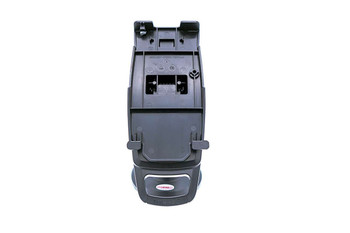
Ingenico Lane 5000 / 7000 FirstBase Mount
Tailwind
$89.99
Tailwind FirstBase Complete Ingenico Lane 5000 / 7000 mounting solution features Tailwind's unique latch mechanism to hold the payment terminal in place. There is no lock and key but the terminal...
Out of stock

Ingenico Lane 5000 / 7000 / 8000 Vbox Kit
Ingenico
MSRP:
$119.99
$99.99
The Ingenico Lane 5000 / 7000 / 8000 Vbox Kit is the perfect solution for businesses looking to extend all interfaces of their terminals. Compatible with Ingenico Lane 3000, 3600, 5000, 7000, and...

Ingenico Lane 5000 / 7000 Tailwind Backplate
Tailwind
$24.99
Experience seamless payment processing with the Ingenico Lane 5000 / 7000 Tailwind Backplate. This innovative backplate mount is specifically designed for the Ingenico Lane 5000 and Lane 7000 PED...

Ingenico ISC250 / ISC350 / ISC480 Stylus Pen
Ingenico
MSRP:
$51.00
$44.99
The Ingenico ISC250 / ISC350 / ISC480 Stylus Pen is an authentic OEM replacement, designed to restore flawless signature capture on your payment terminal. If you're experiencing issues with your...