
TerminalDepot
Epson TM-m30 / TM-m30II / TM-m30III Thermal Paper Rolls 3 1/8 x 230 ft | BPA-Free American Made

- SKU:
- PPRETMM30
- Condition:
- New






Description
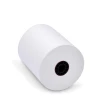
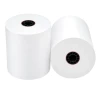
Thermal Paper for the Epson TM-m30 Series - 3 1/8 x 230 ft Rolls for the TM-m30, TM-m30II and TM-m30III
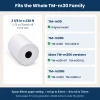
Thermal paper for the Epson TM-m30, TM-m30II and TM-m30III is the same roll: 3 1/8 in (80mm) wide, up to 83mm across, dropped straight into the paper bay. Epson lists identical paper specs for all three generations, so there is no separate "m30II paper" to hunt for. These 3 1/8 in (80mm) x 230 ft rolls measure 2.75 in (70mm) on a 1/2 in core and fit every version, from the original TM-m30 to the TM-m30III-H.
No ink. No ribbon. No faded or half-printed receipts - a clean, dark image edge to edge on every ticket. Just consistent, USA-made thermal stock your printer can run all day. Fast shipping. Most US deliveries arrive in 2-4 business days.
Key Features
- ✅ One roll for the TM-m30, TM-m30II and TM-m30III - no guessing which generation you have
- ✅ 70mm roll sits well inside the 83mm bay, so the cover closes without pressing on the paper
- ✅ Drop-in loading: no spindle, no threading, change a roll in under a minute
- ✅ 230 ft per roll, about 250 to 450 receipts depending on receipt length
- ✅ End-of-roll indicator shows staff when a roll is getting low
- ✅ BPA-free and made in the United States
Specifications
| Compatible Models: | Epson TM-m30, TM-m30II, TM-m30II-H, TM-m30II-NT, TM-m30II-SL, TM-m30III, TM-m30III-H |
| Paper Size: | 3 1/8 in (80mm) x 230 ft |
| Roll Diameter: | 2.75 in (70mm) |
| Core: | 1/2 in |
| Paper Type: | Thermal, 1-ply, outside wind |
| Caliper: | 2.1 mil |
| Color: | White |
| BPA-Free: | Yes |
| End-of-Roll Indicator: | Yes |
| Made In: | United States |
| Pack Sizes: | 6, 12, 18 or 24 rolls, or 50-roll case |
▶ Which TM-m30 Models This Paper Fits
Epson's specifications for every model below call for 80mm thermal paper on a roll up to 83mm across.
• TM-m30 (original)
• TM-m30II, TM-m30II-H, TM-m30II-NT and TM-m30II-SL
• TM-m30III and TM-m30III-H
Not sure which you have? The model name is on the label under the printer. Other Epson receipt printers that take this roll are listed on our Epson Receipt Printer Paper Rolls page.
▶ How to Load Paper in a TM-m30, TM-m30II or TM-m30III
- Push the cover open lever and lift the roll paper cover.
- Take out the empty core.
- Set the new roll in the bay so the paper comes off the bottom of the roll.
- Pull a few inches of paper past the cutter and press the cover shut. The printer trims the leading edge by itself.
Tip: a blank receipt means the roll went in upside down. Flip it so the paper feeds from the bottom.
▶ Roll Sizes That Fit the TM-m30 Series
✅ 3 1/8 in x 230 ft (this product) - 70mm across, inside the 83mm limit.
❌ Rolls larger than 83mm (3.27 in) - the cover will not close.
❌ 2 1/4 in (58mm) rolls - only after installing the 58mm guides that came with the printer and changing the width setting.
❌ Bond or two-ply rolls - the TM-m30 series prints on thermal paper only.
▶ How Many Rolls to Order
At 230 ft, one roll covers about 250 long itemized receipts or about 450 short card slips.
• 6 rolls: one printer in a quiet shop or office.
• 12 or 18 rolls: a single busy counter between orders.
• 24 rolls: a restaurant or store running two printers.
• 50-roll case: the best price per roll, for several stations or locations.
▶ Troubleshooting Blank or Light Receipts
• Receipt comes out blank: the roll is upside down. Reload it feeding from the bottom.
• Print is gray or faint: the roll is not thermal paper, or it sat somewhere hot before use.
• Paper light stays on: the roll is not seated flat or the cover is not fully closed. Open it, reseat the roll, close it firmly.
▶ Why American-Made Paper
The paper is the cheapest part of a receipt station and the part most likely to cause a problem: a roll wound too large, a coating that prints light, a core that drags. These rolls are made in the United States to one specification, so the next case you order measures and prints exactly like the last one.
▶ Storage
Thermal coating reacts to heat and light. Keep spare rolls sealed in their packaging, away from windows, fryers and warm back rooms. Stored at normal room temperature, sealed rolls keep printing like new for 5 years or more.
2 Reviews
-
Great Quality, and Fast Shipping!
Receipts prints seem to be darker with the paper purchased from here.
-
Great Paper
These rolls fit our printer without issue, and received them quicker than expected.
 Attention CA Residents: Prop 65 Warning
Related Products
Related Products

Epson Receipt Printer Paper Rolls 3 1/8 x 230 ft | BPA-Free American Made
TerminalDepot

Epson TM-T88V Thermal Paper Rolls
TerminalDepot

Epson TM-T20II Thermal Paper Rolls
TerminalDepot

Star Micronics TSP100 / TSP100III / TSP143 Thermal Paper Rolls 3 1/8 x 230 ft | BPA-Free American Made
TerminalDepot





