
VeriFone
VeriFone M400 Stylus Pen | OEM STY445-001-01-A

- SKU:
- STY445-001-01-A
- MPN:
- STY445-001-01-A
- Condition:
- New




Description
VeriFone M400 Stylus Pen - OEM Replacement STY445-001-01-A
Your M400 sits in front of customers all day, and the stylus is the one part they actually touch. When the original walks off, the cord frays, or taps stop registering, every signature turns into a finger-smudged struggle and your line slows down. This OEM VeriFone stylus pen, part STY445-001-01-A, is the exact fine point stylus the M400 shipped with. It clips in, anchors to the holster, and taps register clean again.
No pairing. No battery. No setup screens. Just the correct VeriFone part, ready the moment you seat the anchor tab.
Key Features
- ✅ Exact OEM part STY445-001-01-A, so it fits the M400 holster instead of flopping loose like generic pens
- ✅ Fine point tip registers precise taps and signatures, so customers stop stabbing at the screen twice
- ✅ Attached security tether with anchor tab keeps the pen at the terminal, so it cannot walk off mid-shift
- ✅ Passive design with zero electronics, so there is nothing to charge, pair, or configure
- ✅ Rounded tip glides without gouging, protecting the touchscreen your whole terminal depends on
- ✅ Drop-in swap in under a minute, so a broken stylus never takes a lane down
Specifications
| Compatible Terminal: | VeriFone M400 |
| OEM Part Number: | STY445-001-01-A |
| Type: | Tethered passive stylus |
| Tip: | Fine point, rounded |
| Tether: | Attached cord with holster anchor tab |
| Tether Length: | 15.25 in (38.7 cm) |
| Color: | Black |
| Condition: | New - OEM Original |
| Brand: | VeriFone |
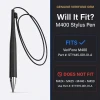
▶ Which VeriFone Stylus Do I Need?
VeriFone uses two different stylus parts across the M400 series, and they are not the same pen.
✅ M400: this stylus, part STY445-001-01-A
❌ M424, M425, M440, M450: those four terminals use part STY379-001-01-A. See the VeriFone M424 / M425 / M440 / M450 Stylus Pen.
Check the model name printed on the label on the back of your terminal before ordering. Some marketplace sellers list one pen for every model. VeriFone's own installation guides do not.
▶ When to Replace Your Stylus
• The original stylus is missing and customers are signing with a fingertip
• The tether cord is frayed, kinked, or torn at either end
• The tip is worn flat and taps take two or three tries to register
• The anchor tab snapped and the pen keeps disappearing behind the counter
▶ How to Install
- Power down the terminal by unplugging its power supply.
- Remove the old stylus and pull its anchor tab out of the stylus holster.
- Seat the new anchor tab in the holster and slide the stylus into place.
- Plug the power supply back in. No configuration is needed.
▶ Troubleshooting
• Taps not registering: clean the screen first. Grease film causes more missed taps than worn tips do.
• Still unresponsive with a new stylus: the M400 supports touch screen calibration in System Mode. If calibration fails, the issue is the screen, not the pen.
• Pen will not stay put: the stylus holster is a separate part. If the holster itself is cracked, replace the holster, not the pen.
▶ What's Included
One VeriFone M400 stylus pen with attached tether and holster anchor tab. The matching VeriFone M400 Stylus Pen Holder is sold separately.
▶ Why Use the OEM Stylus?
Generic touchscreen pens have no tether anchor, so they sit loose on the counter and vanish within a week. The OEM anchor tab is molded for the M400 holster, the tip is matched to the M400 screen, and the part number matches what VeriFone's M400 installation guide specifies. One correct part beats three cheap replacements.
1 Review
-
Quick and Efficient
I ordered these from a number of vendors. The TerminalDepot shipped the correct product in a high speed manner and I am well satisfied with all aspects of the transaction. I am still waiting on the other vendors to ship. Game, set, match to TD.
 Attention CA Residents: Prop 65 Warning
Related Products
Related Products
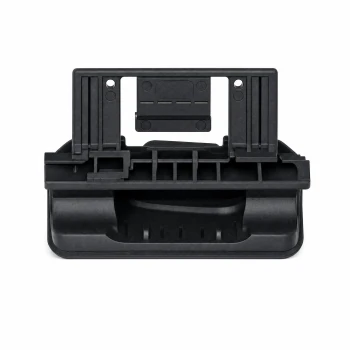
VeriFone M400 Stylus Pen Holder | OEM Replacement Holster | PPL445-008-01-A
VeriFone
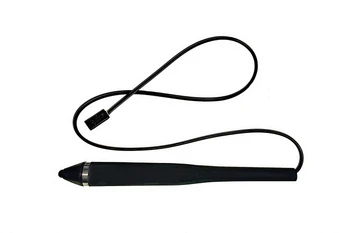
VeriFone M424 / M425 / M440 / M450 Stylus Pen | OEM STY379-001-01-A
VeriFone

VeriFone MX8XX Stylus Pen
VeriFone

VeriFone MX9xx Stylus Pen
VeriFone

VeriFone MX915 Stylus Pen Holder
VeriFone





