
Ingenico
Ingenico Lane 3000/3600/5000/7000/8000 & AXIUM RX Powered USB Cable | 6ft OEM (296111170AD)

- SKU:
- 296111170AD
- MPN:
- 296111170AD
- Condition:
- New







Description
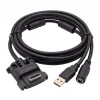
Ingenico Lane and AXIUM RX Powered USB Cable - OEM 6ft (296111170AD)
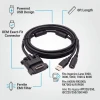
Connect your Ingenico Lane or AXIUM RX payment terminal to your PC or POS system with this OEM powered USB cable. One cable covers the entire Ingenico HDMI-connector family: Lane 3000, 3600, 5000, 7000, and 8000, the Android-based AXIUM RX5000, RX7000, and RX9000, plus legacy iPP and iSC terminals. The 6-foot cable carries USB data to your POS system and includes an integrated power port for your external power supply - required because these terminals draw more power than a standard USB port can deliver.
Key Features
- ✅ OEM Ingenico cable, part 296111170AD - the exact cable Ingenico specifies, so there are no pin alignment or firmware surprises
- ✅ Fits Ingenico Lane 3000, 3600, 5000, 7000, and 8000 (all versions)
- ✅ Fits AXIUM RX5000, RX7000, and RX9000 - keep this cable when you upgrade from Lane to AXIUM
- ✅ Also fits legacy iPP320, iPP350, iSC220, iSC250, iSC350, and iSC480 terminals - same connector
- ✅ USB data connection to your PC or POS system for payment processing
- ✅ Integrated power port keeps the terminal fully powered so transactions never stall mid-swipe
- ✅ 6-foot length (2m) reaches from countertop terminal to under-counter PC
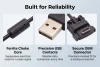
- ✅ Commercial-grade construction built for 24/7 retail and restaurant duty
Specifications
| Compatible Terminals: | Lane 3000/3600/5000/7000/8000, AXIUM RX5000/RX7000/RX9000, iPP320/350, iSC220/250/350/480 |
| Cable Type: | Powered USB with external power port |
| OEM Part Number: | 296111170AD |
| Length: | 6 feet (2m) |
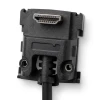
| Terminal Connector: | Ingenico HDMI-style connector |
| Host Connector: | USB-A (connects to PC or POS system) |
| Power: | External power port (power supply sold separately) |
| Color: | Black |
| Condition: | New - OEM Original |
▶ What's Included and What You'll Need
In the box:
✅ 1x Ingenico powered USB cable, 6ft (296111170AD)
NOT included (required - sold separately):
⚠️ External power supply. These terminals require more power than a standard USB port can provide. You MUST connect a compatible Ingenico power supply to the cable's power port for the terminal to operate.
You'll also need:
• A PC or POS system with an available USB port
• A compatible Ingenico terminal (see Full Compatible Terminal List below)
• Payment processing software configured for USB terminal connection
▶ Why a Powered USB Cable and Not Standard USB
Ingenico Lane and AXIUM terminals require more power than a standard USB port can deliver. A regular USB 2.0 port provides only 2.5 watts - these terminals need significantly more to run the display, card reader, NFC antenna, and processor.
| Connection | Power Output | Enough for the Terminal? |
| Standard USB 2.0 port | 2.5W (500mA at 5V) | ❌ No - terminal won't power on |
| Standard USB 3.0 port | 4.5W (900mA at 5V) | ❌ No - still insufficient |
| This cable + power supply | Full power via external supply | ✅ Yes - full operation |
This is why the cable has a separate power port. The USB connection handles data only, while the external power supply provides the power your terminal needs.
▶ How to Install (Step by Step)
1. Power off your Ingenico terminal.
2. Connect the HDMI-style end of this cable to the port on the bottom of the terminal.
3. Connect the USB end to an available USB port on your PC or POS system.
4. Connect your Ingenico power supply to the external power port on this cable.
5. Power on the terminal. It should be detected by your POS software.
6. Configure your payment processing software for USB terminal connection if not already set up.
⚠️ Important: the power supply MUST be connected through this cable's power port. Do not attempt to power the terminal from the USB port alone - the terminal will not function without the external power supply.
▶ Which Ingenico Cable Do I Need
| Cable | Connection | Length | Power | Best For |
| Powered USB 6ft (This product): | USB to PC | 6ft | External supply | Standard USB POS setups |
| Powered USB 13ft: | USB to PC | 13ft | External supply | Terminal far from PC |
| 12V USB Cable: | USB + 12V power | Varies | 12V USB port | POS systems with 12V USB output |
| Dual Gang USB 5m: | Dual USB | 5m (16ft) | External supply | Extended reach setups |
| Ethernet w/ External Power 6ft: | RJ45 Ethernet | 6ft | External supply | Network-connected POS |
| Ethernet w/ PoE 2m: | RJ45 Ethernet | 2m | PoE switch | Clean single-cable installs |
| RS232 (DB9): | Serial DB9 | 6ft | External supply | Legacy serial POS systems |
Choose USB if your POS software communicates with the terminal over USB. Choose Ethernet if your POS communicates over the network. Not sure? Check with your POS software provider.
▶ USB vs Ethernet - Which Connection Type Do I Need
| Feature | USB (This product) | Ethernet |
| Connection | Direct to PC via USB cable | Via network switch/router |
| Best For | Single terminal + single PC | Multiple terminals or cloud POS |
| Requires Network? | No - direct connection ✅ | Yes - needs network infrastructure |
| Power Supply Needed? | Yes - external supply | External supply or PoE switch |
| Typical POS Systems | PC-based POS software | Cloud POS, multi-lane retail |
Most small businesses with a single POS station use USB. Multi-lane retailers and cloud-based POS systems typically use Ethernet.
▶ Full Compatible Terminal List
Ingenico Lane series (TETRA):
✅ Lane 3000 - compact countertop PIN pad, all versions
✅ Lane 3600 - next-generation countertop terminal
✅ Lane 5000 and Lane 5000 LE - touchscreen countertop terminal, all versions
✅ Lane 7000 - large touchscreen multi-lane terminal, all versions
✅ Lane 8000 - flagship multi-lane terminal, all versions
Ingenico AXIUM RX series (Android):
✅ AXIUM RX5000 - compact Android PIN pad
✅ AXIUM RX7000 - Android multi-lane terminal
✅ AXIUM RX9000 - flagship Android multi-lane terminal
Legacy Ingenico terminals (same connector):
✅ iPP320, iPP350
✅ iSC220, iSC250, iSC350, iSC480
NOT compatible with:
❌ Ingenico Desk 3500, Desk 5000 (different connector)
❌ Ingenico Move 2500, 2600, 3500, 5000 (wireless terminals, different ports)
▶ Troubleshooting - Terminal Not Powering On or Connecting
• Terminal not powering on? The external power supply MUST be connected to this cable's power port. Standard USB ports cannot power these terminals. Verify the power supply is plugged into a live outlet and connected to this cable.
• PC not detecting the terminal? Try a different USB port on your PC. Avoid USB hubs - connect directly to a USB port on the PC. Check that your POS software has the correct USB drivers installed.
• Wrong connector? If the cable does not fit your terminal, check the model number on the back. Desk and Move series terminals use different cable systems.
▶ Why Use OEM Cables
Third-party cables may not maintain proper pin alignment, shielding, or power delivery for Ingenico terminals. Using the OEM cable ensures:
✅ Correct pin configuration for reliable USB data transmission
✅ Proper power delivery specs to avoid terminal damage
✅ Full compatibility with all Lane and AXIUM firmware versions
✅ Proper shielding to prevent interference near other electronics
✅ No risk of voiding your terminal warranty
OEM Part 296111170AD is the exact cable Ingenico specifies for Lane and AXIUM powered USB installations.
 Attention CA Residents: Prop 65 Warning
Related Products
Related Products


Genuine Ingenico OEM Power Supply 296196003 | Lane, iPP, iSC
Ingenico


Ingenico Lane 3000/3600/5000/7000/8000 & AXIUM RX Ethernet Cable w/ External Power Port | OEM 296114829AD
Ingenico

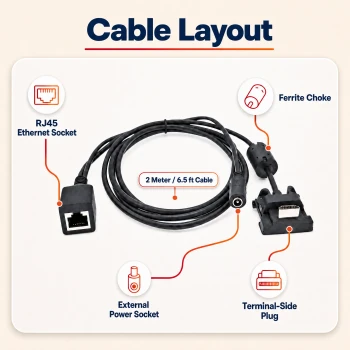
Ingenico Lane 3000/3600/5000/7000/8000 and AXIUM RX Ethernet Socket Cable | OEM CAB350901
Ingenico

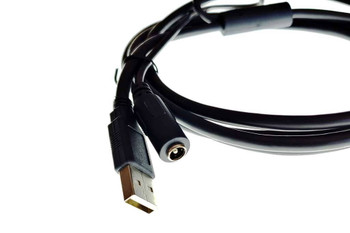
Ingenico Lane 3000 / 5000 / 7000 / 8000 to External Powered USB Cable (13')
Ingenico

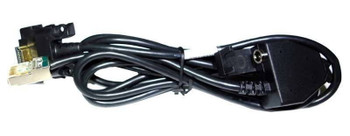
Ingenico Lane 3000 / 5000 / 7000 / 8000 to Ethernet Cable (13ft)
Ingenico

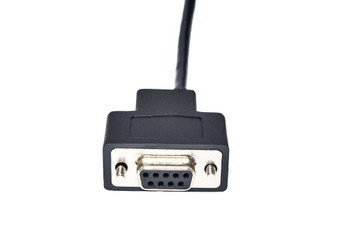
Ingenico Lane 3000 / 5000 / 7000 / 8000 Cable to RS232 (DB9)
Ingenico





