
Ingenico
Ingenico Lane 3000 / Lane 3600 / RX7000 / RX9000 POE Box Cable | OEM 296292579AC

- SKU:
- 296292579AC
- MPN:
- 296292579AC
- Condition:
- New


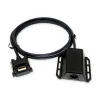
Description
Power Your Ingenico Lane 3000 or Lane 3600 From One POE Network Cable
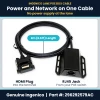
Every checkout lane with a wired Ingenico terminal normally needs two things at the counter: a network line and a power supply plugged into an outlet. The Ingenico POE Box Cable (part 296292579AC) takes both from one Ethernet run off your POE switch. The terminal gets its power and its network connection through a single cable, and the power brick under the counter goes away.
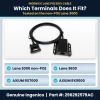
Ingenico lists this box for the Lane 3600, AXIUM RX7000 and AXIUM RX9000. It also runs the non-POE Lane 3000: tested on a Lane 3000 CL/Eth/WiFi/BT, the terminal powered on through the box. If your lanes already have POE switches, the Lane 3000s you own can run on POE without replacing them.
Key Features
- ✅ One cable to the lane: the box takes power from the network port and feeds the terminal, so there is no power supply or outlet at the counter.
- ✅ Runs non-POE Lane 3000s: tested on the Lane 3000 CL/Eth/WiFi/BT, a non-POE model.
- ✅ 12V to the terminal: the box puts out 12V at 0.83A (10W), inside the Lane 3000's labeled 8-12V input range.
- ✅ Genuine Ingenico part: the Ingenico name and part number 296292579AC are printed on the box label, so you can check it against your install sheet.
- ✅ One part across mixed lanes: the same box serves Lane 3000, Lane 3600, RX7000 and RX9000 lanes, so there is one part number to keep on hand.
Specifications
| Compatible Terminals: | Ingenico Lane 3000 (non-POE models), Lane 3600, AXIUM RX7000, AXIUM RX9000 |
| Part Number: | 296292579AC |
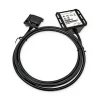
| Cable Length: | 2m (6.6 ft) |
| Terminal Side: | HDMI plug, fits the single port on the back of the terminal |
| Network Side: | RJ45 jack, POE input 48V, 0.27A |
| Output to Terminal: | 12V, 0.83A, 10W |
| Certifications: | CSA, FCC, CE, UKCA |
| Condition: | New |
▶ What You Need at Each Lane
• A POE port on your network switch, or a POE injector if the switch has no POE. The box draws its power from that port.
• A standard Ethernet patch cable from the switch to the RJ45 jack on the box.
• This cable, plugged into the port on the back of the terminal.
• Ingenico terminals ship bare, with no cables or power supplies, so the cable for each lane is bought separately.
▶ Using It With a Non-POE Lane 3000
• The model on the back label of a Lane 3000 tells you which one you have. The unit tested with this box reads "Lane/3000 CL/Eth/WiFi/BT", which is not the POE version.
• That terminal is rated 8-12V on its label. This box supplies 12V, so the terminal runs on power from the network instead of its own power supply.
• Tested on that model, the terminal powered on through the box.
▶ Which Terminals Take This Box
• Ingenico Lane 3600
• Ingenico AXIUM RX7000
• Ingenico AXIUM RX9000
• Ingenico Lane 3000, non-POE models (tested on the Lane 3000 CL/Eth/WiFi/BT)
▶ Getting It Installed
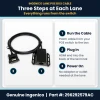
- Run a patch cable from the POE switch port to the RJ45 jack on the box.
- Plug the HDMI end of the cable into the port on the back of the terminal.
- The terminal powers on from the network, with no adapter or outlet at the lane.
▶ Other Lane and AXIUM RX Accessories
• Ingenico Lane and AXIUM RX Powered USB Cable 296111170AD
• Ingenico Lane and AXIUM RX Ethernet Cable With Power Port 296114829AD
• Ingenico Lane and AXIUM RX Ethernet Socket Cable CAB350901
• Ingenico Power Supply 296196003, for lanes without POE
FAQ
How much POE power does the box pull from my switch?
My Lane 3000 is a POE model. Do I need this box?
Will I have to change anything on the terminal after switching it to POE?
Can the box be fastened under the counter?
We are outfitting a lot of lanes. Can you quote a larger order?
 Attention CA Residents: Prop 65 Warning

Related Products
Related Products

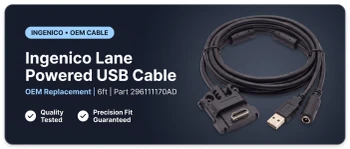
Ingenico Lane 3000/3600/5000/7000/8000 & AXIUM RX Powered USB Cable | 6ft OEM (296111170AD)
Ingenico


Ingenico Lane 3000/3600/5000/7000/8000 & AXIUM RX Ethernet Cable w/ External Power Port | OEM 296114829AD
Ingenico

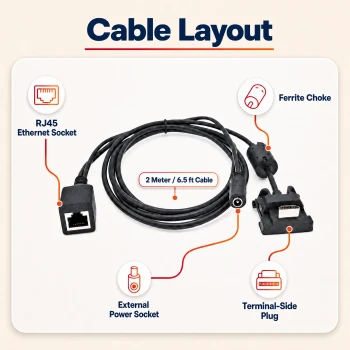
Ingenico Lane 3000/3600/5000/7000/8000 and AXIUM RX Ethernet Socket Cable | OEM CAB350901
Ingenico


Genuine Ingenico OEM Power Supply 296196003 | Lane, iPP, iSC
Ingenico