



Description
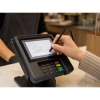
VeriFone MX915 / MX925 Stylus Pen - OEM Replacement
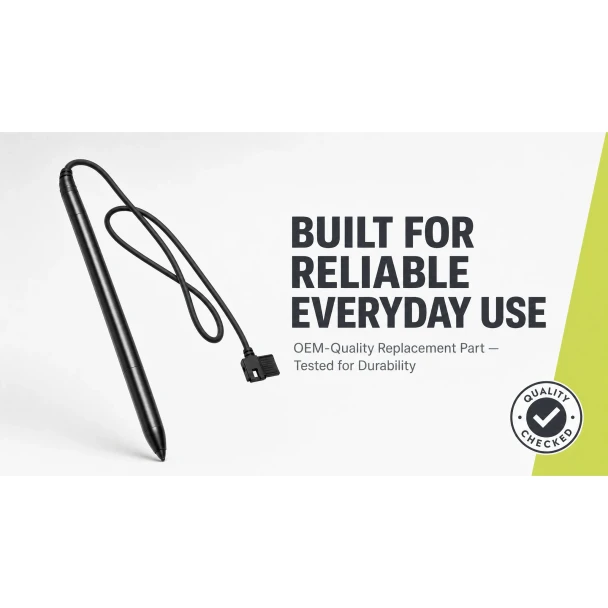
The stylus pen on your MX915 or MX925 takes more abuse than any other part of the terminal. Customers press hard when signing, drag the tip across the screen hundreds of times a day, and the tethered cable gets pulled and twisted every shift. When the tip wears flat or the cable frays, signatures stop registering and customers struggle to make selections. This OEM VeriFone replacement stylus (STY132-004-01-A) drops into the same port, restores accurate touch response, and gets your checkout line moving again.
Tethered design with a flexible cord and direct plug-in connector. Unclip the old stylus, plug in the new one. No tools, no configuration, no reboot required.
Key Features
- ✅ Genuine OEM VeriFone stylus (STY132-004-01-A) - exact fit, no compatibility issues
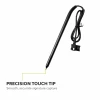
- ✅ Precision touch tip - smooth, accurate signature capture and screen selections
- ✅ Tethered with flexible cord - stays attached to the terminal, resists daily wear
- ✅ Strain-relief at connection point - prevents cable fraying where it matters most
- ✅ Direct plug-in connector - swap in seconds with no tools or terminal restart
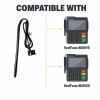
- ✅ Compatible with VeriFone MX915 and MX925 terminals
Specifications
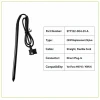
| Compatible Terminals: | VeriFone MX915, VeriFone MX925 |
| OEM Part Number: | STY132-004-01-A |
| Manufacturer: | VeriFone (OEM Original) |
| Product Type: | Tethered stylus pen with flexible cord |
| Connector: | Direct plug-in to MX915/MX925 stylus port |
| Cable: | Straight, flexible cord with strain relief |
| Condition: | New (OEM Original) |
▶ When to Replace Your Stylus Pen
• Tip is worn flat and signatures are not registering on the screen
• Customers have difficulty making menu selections or tapping buttons
• Cable is frayed, cracked, or pulling away from the pen body
• Stylus connector is loose and disconnects intermittently
• The pen feels sticky or drags across the screen instead of gliding
A worn stylus slows down every transaction. Replacing it takes seconds and costs far less than the checkout delays it causes.
▶ How to Replace the Stylus
1. Power down the terminal by unplugging the power supply.
2. Unclip the old stylus pen from the terminal stylus port.
3. Plug the new replacement stylus into the same port until it clicks.
4. Plug in the power supply to power the terminal back on.
5. Test by signing on the screen to confirm the stylus responds accurately.
No tools required. No terminal configuration changes. The entire replacement takes under a minute.
▶ Why Buy OEM
The stylus tip and cable are the most-replaced parts on MX915 and MX925 terminals. OEM VeriFone stylus pens are built with a precision-ground tip that glides across the resistive touchscreen without scratching, and a flexible tether cord with molded strain relief at the connector. That means accurate signatures, consistent screen response, and a cable that holds up to daily pulling and twisting.
▶ What Is Included
• 1x OEM VeriFone stylus pen (STY132-004-01-A)
• Tethered with flexible cord and direct plug-in connector
• New, unused condition
NOT included:
• Terminal
• Screen protector
▶ Compatible Terminals
✅ VeriFone MX915 - Compatible
✅ VeriFone MX925 - Compatible
NOT compatible:
❌ VeriFone VX520 (different terminal family, no touchscreen stylus)
❌ VeriFone VX680 / VX690 (different connector)
❌ VeriFone MX925 with aftermarket screen replacement (may require different stylus calibration)
▶ Troubleshooting
Stylus does not respond on screen: Confirm the connector is fully seated in the stylus port. Power cycle the terminal. If the screen still does not respond to the stylus, the touchscreen digitizer may need calibration or replacement.
Signatures look jagged or skip: Clean the screen with a soft, dry cloth. A dirty or greasy screen causes the stylus tip to skip. If cleaning does not help, the tip may be worn and the stylus needs replacement.
Cable keeps pulling out: Check that the connector clip is intact and snapping into the port. If the clip is broken, the stylus needs to be replaced.
7 Reviews
-
We order these often, they work great
Good Product
-
Wow Fast Shipping
Our stylus broke, and I needed a replacement asap. Called these guys up and explained my situation. Told me no problem, it would ship out same day, and arrived the next day early in the morning.
-
Great Price and ships fast
These replacement stylus are the perfect way to refurbish a tired terminal
-
Great OEM Stylus
Our stylus was torn off by a customers kid. We ordered the a replacement stylus, and when we received it it looked exactly the same as the original one. Only took a few minutes to replace it, and works good, with no issues..
-
MX915 Pen
Fast Shipping.....excellent quality and fit!
-
Exactly as described
Exactly as described, and looks exactly just like the original stylus. Fit my needs need perfectly, no issues at all.
-
Worked Perfectly
It was exactly what it said it was, worked perfectly. Shipped out same day, and received it few days later.
 Attention CA Residents: Prop 65 Warning
Related Products
Related Products


VeriFone MX915 / MX925 / M400 Tailwind Backplate
Tailwind

VeriFone mx915 / mx925 FirstBase Contour Wall Mount
VeriFone

VeriFone MX915 / MX925 Power Supply
VeriFone

VeriFone MX915 / MX925 Rubber Rear Trident Foot
VeriFone

VeriFone MX915 Stylus Pen Holder
VeriFone


VeriFone MX925 Stylus Pen Holder
VeriFone


VeriFone MX915 / MX925 Ethernet to External USB Powered Cable
VeriFone
VeriFone MX915 / MX925 Ethernet to PC USB Cable (Blue)
VeriFone

VeriFone MX915 / MX925 Ethernet (RJ45) to USB Cable | OEM | 1m, 3m, 5m
VeriFone


VeriFone MX915 / MX925 RJ45 to USB Host Cable
VeriFone

VeriFone MX915 / MX925 to Dual Gang USB Cable (Yellow)
VeriFone

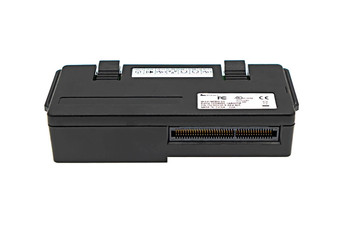
VeriFone MX915 / MX925 I/O POE Module
VeriFone





