
VeriFone
VeriFone V400M Battery Pack | 7.4V Li-Ion OEM Replacement (BPK475-001-01-A)

- SKU:
- BPK475-001-01-A
- MPN:
- BPK475-001-01-A
- Condition:
- New


Description
VeriFone V400M Battery Pack — OEM 7.4V Li-Ion Replacement
Restore full wireless operation to your VeriFone V400M mobile payment terminal with this OEM replacement battery pack. The V400M is VeriFone's Android-based portable terminal designed for tableside dining, delivery, curbside pickup, and mobile payment environments, and it only works wirelessly when the battery is healthy. If your V400M is dying mid-shift, won't hold a charge, or only works while plugged in, this battery is the fix.
Key Features
- ✅ OEM VeriFone battery: Guaranteed compatible with the V400M mobile payment terminal (all versions)
- ✅ 7.4V lithium-ion rechargeable: Full-shift battery life for wireless payment processing
- ✅ Drop-in replacement: No tools required, installs in under 60 seconds
- ✅ Restores full wireless capability: Stop being tethered to the charging base, get back to tableside, curbside, & mobile payments
- ✅ OEM Part #BPK475-001-01-A: Exact replacement for the original VeriFone battery
- ✅ Built-in protection circuits: Overcharge, over-discharge, and short circuit protection for safe daily use
Specifications
| Battery Type: | Lithium-Ion Rechargeable |
| Voltage: | 7.4V |
| Chemistry: | Li-Ion (no memory effect) |
| OEM Part Number: | BPK475-001-01-A |
| Compatible Terminal: | VeriFone V400M |
| Condition: | New — OEM Original |
| Wireless Modes Supported: | WiFi, Bluetooth, 4G LTE (terminal dependent) |
▶ Signs You Need a New V400M Battery
Lithium-ion batteries degrade over time with every charge cycle. If your VeriFone V400M is showing any of these symptoms, the battery needs to be replaced:
- Won't hold a charge: Terminal dies within 1-2 hours off the charging base when it used to last a full shift. This is the most common sign of a worn battery
- Only works while plugged in: Terminal powers off immediately when removed from the charger, dock, or power cable. The battery can no longer store energy
- Battery icon stuck at low: Shows low battery or a red indicator even after a full overnight charge on the dock
- Random shutdowns: Terminal powers off mid-transaction, especially during printing, NFC tap payments, or cellular data transmission when power draw is highest
- Swollen battery: Battery pack looks puffy, bloated, or doesn't sit flush in the compartment. Replace immediately, a swollen lithium-ion battery is a safety hazard
- Slow charging: Takes significantly longer than usual to reach full charge compared to when the battery was new
- Excessive heat: Terminal runs noticeably hot during charging or normal use, especially compared to when it was new
- Dropped transactions: If the V400M reboots or loses connection during payment processing, a failing battery may be delivering inconsistent voltage to the terminal
Most lithium-ion batteries last 300-500 full charge cycles before noticeable degradation. If your V400M is 1.5-2+ years old and showing any of these symptoms, a new battery will restore it to full wireless performance.
▶ How to Replace the Battery (Under 60 Seconds)
- Power off your VeriFone V400M terminal.
- Turn the terminal face-down on a soft surface to avoid scratching the touchscreen.
- Locate the battery compartment on the back of the terminal.
- Slide or press the battery release latch and remove the old battery pack.
- Insert the new battery pack (BPK475-001-01-A), align the connector and press firmly until it clicks securely into place.
- Replace the battery cover.
- Place the terminal on the charging dock or connect the power cable for an initial full charge.
- Allow the battery to charge fully before first wireless use (2-3 hours recommended for the initial charge to calibrate the battery gauge).
⚠️ No tools required. The V400M battery is designed for field replacement, your staff can swap it during a shift change in under a minute without any technical expertise.
▶ Battery Care Tips — Maximize V400M Battery Life
- Initial charge: Charge the new battery fully (2-3 hours) before first wireless use. This calibrates the battery gauge for accurate percentage readings on screen
- Avoid full discharge: Don't regularly run the battery to 0%. Lithium-ion batteries last significantly longer when recharged at 15-20% rather than running until the terminal shuts off
- Dock between rushes: Place the V400M on its charging dock between lunch and dinner service or during slow periods. Partial charges are perfectly fine, Li-Ion has no memory effect
- Avoid extreme heat: Don't leave the V400M in direct sunlight, near kitchen heat sources, inside a hot vehicle, or on outdoor patios in summer. Heat is the #1 killer of lithium-ion batteries
- Store properly: If storing the terminal for an extended period, charge the battery to 50-60% first. Storing at full charge or completely empty accelerates degradation
- Use the OEM charger: Only use the VeriFone V400M charging dock or OEM power supply. Third-party chargers may deliver incorrect voltage and damage the battery or charging circuit
- Keep contacts clean: Periodically wipe the battery contacts and dock contacts with a dry cloth to ensure a proper charging connection
- Rotate batteries: If you purchased a spare battery, rotate between them to distribute wear evenly across both packs
▶ What's Included
In the box:
- ✅ 1x VeriFone V400M Battery Pack (BPK475-001-01-A)
NOT included (use your existing equipment):
- ⚠️ Charging dock — use your existing V400M dock
- ⚠️ Power cable — use your existing V400M power supply
- ⚠️ Terminal — this is a replacement battery only
▶ V400M Compatibility
Compatible With
- VeriFone V400M — All hardware revisions and firmware versions. WiFi-only, WiFi+Bluetooth, and 4G LTE models all use the same battery
NOT Compatible With
- ❌ VeriFone V400C (countertop version, runs on AC power, no battery compartment)
- ❌ VeriFone V240M (different form factor, different battery)
- ❌ VeriFone T650P (uses BPK560-001-01-A, different battery)
- ❌ VeriFone T650C (countertop, no battery)
- ❌ VeriFone VX670 (legacy terminal, different battery)
- ❌ VeriFone VX680 (legacy terminal, different battery)
- ❌ VeriFone e355 (companion device, different battery)
Check the model number on the label on the back of your terminal. If it says V400M, this battery is correct. If you have a different VeriFone model, check our full VeriFone accessories catalog for the right battery.
▶ V400M vs V400C — Which Do I Have?
| Feature | V400M (Mobile) | V400C (Countertop) |
| Battery? | ✅ Yes — rechargeable Li-Ion | ❌ No — AC power only |
| Wireless? | ✅ Yes — WiFi, Bluetooth, 4G LTE | ❌ No — wired Ethernet connection |
| Portable? | ✅ Yes — tableside, delivery, curbside | ❌ No — stays at the counter |
| Uses This Battery? | ✅ Yes — BPK475-001-01-A | ❌ No — uses AC power supply only |
| Model Identifier | "M" = Mobile | "C" = Countertop |
| Operating System | Android | Android |
| Touchscreen | ✅ Yes | ✅ Yes |
Both the V400M and V400C run Android and look very similar. The key difference is the "M" (Mobile) has a battery for portable use, while the "C" (Countertop) plugs into AC power. Check the last letter in your model number.
▶ Use Cases — Where V400M Runs on Battery
The V400M was designed for mobile and tableside payment environments. A healthy battery is critical for:
- Tableside dining: Bring the terminal to the table for pay-at-the-table service. A dead battery means walking back and forth to a charging dock between every table
- Delivery and curbside: Take payments outside, at the door, or at the curb. No battery = no mobile payments
- Food trucks and pop-ups: Operate without a permanent power source. Battery life determines your service window
- Events and trade shows: Process payments anywhere without searching for outlets
- Queue busting: During rush hours, staff can take the V400M into the line and process payments before customers reach the counter
- Outdoor retail: Farmers markets, sidewalk sales, seasonal kiosks where AC power may not be available
If your V400M's battery is failing, you lose all of these capabilities. A new battery restores full mobile operation for a fraction of the cost of a new terminal.
▶ Troubleshooting — Battery Issues After Replacement
- Terminal won't power on with new battery? Make sure the battery is fully seated — press firmly until it clicks. Place the terminal on the charging dock for 30 minutes before attempting to power on. New batteries may arrive with a partial charge and need initial charging
- Battery gauge shows wrong percentage? This is normal with a new battery. Perform one full charge cycle (charge to 100%, use until 15- 20%, charge to 100% again) to calibrate the gauge for accurate readings
- Battery drains faster than expected? Check your terminal settings, WiFi scanning, Bluetooth, screen brightness, cellular signal strength, and background app activity all affect battery life. In areas with weak cellular signal, the 4G LTE radio works harder and drains the battery significantly faster
- Terminal gets warm during charging? Mild warmth is normal during charging. If the terminal becomes uncomfortably hot, remove from the dock, let it cool, and retry. Ensure you're using the OEM VeriFone charging dock, not a third-party charger
- Battery doesn't fit? If the battery doesn't seat properly, confirm your terminal is the V400M (not V400C or another model). Check the model number on the back label. The V400C does not have a battery compartment
- Old battery is swollen? Do NOT attempt to puncture, crush, or dispose of a swollen battery in regular trash. Place it in a non-flammable container and bring it to a battery recycling center. Best Buy, Staples, and most municipal recycling centers accept lithium-ion batteries for free
▶ Why Use OEM Batteries?
Third-party and aftermarket batteries may look identical but often differ in critical ways that affect your terminal's performance and safety:
- ✅ OEM: Exact voltage (7.4V) matched to V400M charging circuit
- ❌ Third-party: May deliver slightly different voltage, causing charging errors, reduced capacity, or terminal faults
- ✅ OEM: True rated capacity, lasts a full shift as designed
- ❌ Third-party: Often advertise the same capacity but actual performance is 20-30% lower — batteries that claim matching specs but test well below is common with cheap imports
- ✅ OEM: Built-in protection circuits for overcharge, over-discharge, short circuit, and thermal protection
- ❌ Third-party: May lack proper protection circuits, potential safety risk especially in hot environments like kitchens
- ✅ OEM: 300-500 charge cycle lifespan with consistent capacity
- ❌ Third-party: May degrade after 100-200 cycles, requiring replacement twice as often
- ✅ OEM: Maintains VeriFone warranty and service agreement coverage
- ❌ Third-party: May void your service agreement or warranty
OEM Part #BPK475-001-01-A, this is the exact battery VeriFone manufactures for the V400M. Don't risk your terminal with an unverified battery.
▶ Other VeriFone V400M Accessories
Keep your V400M fully equipped:
- VeriFone V400M Battery Pack (this product), BPK475-001-01-A
- VeriFone V400M Paper Rolls: Thermal receipt paper for the V400M built-in printer
- VeriFone V400M Charging Dock: Desktop charging base for the V400M
- VeriFone V400M Power Supply: AC adapter for direct charging without dock
Check our full VeriFone accessories catalog for cables, power supplies, paper rolls, and replacement parts for all VeriFone terminals.
 Attention CA Residents: Prop 65 Warning
Related Products
Related Products

VeriFone T650P Battery Pack | 7.2V 2600mAh OEM Replacement (BPK560-001-01-A)
VeriFone
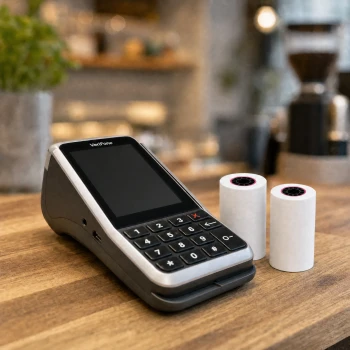
VeriFone V400m Thermal Paper Rolls - 2 1/4 in x 50 ft | BPA-Free USA
TerminalDepot

VeriFone V400M Coreless Paper Rolls
TerminalDepot

VeriFone V400M Power Supply
VeriFone

VeriFone E285 Battery Pack
VeriFone