
Digital Check
Digital Check TellerScan TS250-55 Check Scanner with Inkjet Endorser | 158000-72

- SKU:
- 158000-72
- MPN:
- 158000-72



Description
Digital Check TellerScan TS250-55 Check Scanner with Inkjet Endorser
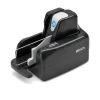
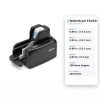
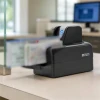
When the deposit stack hits 40 or 50 checks, a single-feed scanner turns a two-minute job into twenty. The TellerScan TS250-55 takes the whole stack in its 100-item feeder, scans both sides at 55 checks a minute, reads the MICR line, prints your endorsement, and stacks them in the exit pocket in order. Part number 158000-72 is the 55 DPM model with the rear inkjet endorser.
No hand feeding. No re-scanning a check the old scanner skipped. Just a teller-grade scanner that clears the day's checks before the coffee gets cold.
Key Features
- ✅ 100-item automatic feeder with double-document detection, so a stuck-together pair stops the run instead of skipping a deposit
- ✅ 55 documents per minute, the right speed for a branch teller window or a business depositing a few hundred checks a day
- ✅ Rear inkjet endorser prints your programmable endorsement on every check as it passes
- ✅ Dual 600 dpi sensors with MICR plus OCR read, cutting the rejects that force a second pass
- ✅ Built-in network mode: switch from USB to Ethernet over USB with the Smart Button, no external adapter
- ✅ Front ID card slot captures driver licenses in full color without unplugging the check feeder
- ✅ Automated cleaning mode and a color status light keep maintenance off the to-do list
Specifications
| Software: | Teller capture and remote deposit applications supporting the Digital Check API, SecureLink 2.0, or SmartPVA (confirm TS250 support with your provider) |
| Part Number: | 158000-72 (TS250-55IJ) |
| Scan Speed: | 55 documents per minute |
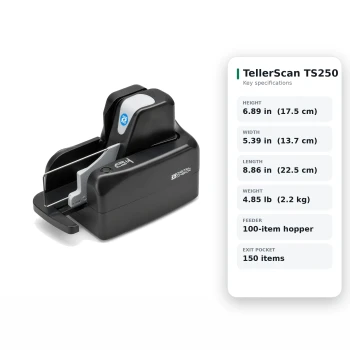
| Feeder: | Automatic, up to 100 items, double-document detection |
| Exit Pocket: | Up to 150 items |
| Image Resolution: | 600 dpi, dual sensors, tri-color LED |
| MICR / OCR: | E13B and CMC7 auto-sensing; OCR-A, OCR-B, E13B |
| Endorser: | Rear single-line inkjet, 96 dpi, user-programmable text |
| Ink Cartridge: | Digital Check MS0083 / HP C6602A |
| ID Capture: | Front-feed ID card slot, up to 600 dpi color |
| Document Size: | 2.00 to 5.83 in high, 2.90 to 9.25 in long |
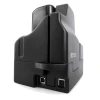
| Connectivity: | USB 2.0; built-in Ethernet over USB (RNDIS) network mode |
| Operating System: | Windows 11 / 10; macOS via Digital Check API |
| Power: | 25 W operating, 3 W standby, 100-240 VAC |
| Dimensions: | 6.89 in H x 5.39 in W x 8.86 in L |
| Weight: | 4.85 lb |
| Warranty: | 1 year Digital Check limited warranty |
| Condition: | New |
| Brand: | Digital Check |
▶ TS240-50 vs TS250-55: What Changed
The TS250-55 replaces the TellerScan TS240-50, which Digital Check has discontinued. Same 100-item feeder capacity, same job at the teller window, but the TS250 is a different body with the feeder on the right side.
• Sensors went from 300 dpi to 600 dpi
• Front-feed ID card capture added
• Network mode is built in; the TS240 needed an external SecureLink adapter
• Automated cleaning replaces manual cleaning
• Power draw dropped from 45 W to 25 W
• Same MS0083 / C6602A ink cartridge
Software certified for the TS240 usually adds the TS250 with a driver update. Confirm with your provider before ordering.
▶ Which TS250 Speed Do I Need
• TS250-55 (this model): up to 55 checks per minute. Teller windows, back-office deposits, businesses running a few hundred checks a day
• TS250-75: up to 75 checks per minute. Higher-volume branches or lockbox operations where the scanner runs most of the day
• TS250-120: up to 120 checks per minute, endorser standard. Item processing centers
All three share the same feeder, sensors, and network capability. Speed is the only difference, and it is set at the factory, so buy the speed you need now.
▶ What Is Included
• TellerScan TS250-55 scanner, inkjet endorser model
• USB 2.0 cable
• External power supply, 100-240 VAC
• One MS0083 black ink cartridge
• Quick start guide
❌ Not included: teller capture or RDC software (supplied by your bank or provider), cleaning cards, Ethernet cable for network mode.
▶ USB or Network Mode
Every TS250 can run two ways. In USB mode it connects to one workstation like any scanner. In network mode it uses Ethernet over USB (RNDIS) with the SecureLink 2.0 API, so a shared scanner on the counter can serve any workstation that has the application.
• Switch modes by holding the Smart Button; the status light confirms the change
• Network mode requires your application to support SecureLink 2.0; ask your provider
• The 55 DPM model also supports Digital Check's SmartPVA platform, which the 75 and 120 DPM models do not
▶ Cleaning and Ink Replacement
• Insert a cleaning card and start cleaning mode from the Smart Button; the scanner scrubs the transport and sensors on its own
• The status light will prompt for cleaning based on document count
• Endorser cartridge is a snap-in MS0083 / C6602A; replace it when endorsements fade or skip
• Empty the exit pocket before it reaches 150 items
▶ Troubleshooting
• Double feeds or feeder stalls: fan the stack, square the edges, and remove staples; the double-document detector will halt on stuck checks
• Frequent MICR misreads: clean the sensors; a dirty read head is the cause far more often than bad checks
• Endorsement faint or missing: reseat the cartridge and check that endorsement is enabled in the application
• Not detected in network mode: confirm the mode light, then verify the application supports SecureLink 2.0
• Jam mid-stack: press the Smart Button to clear, open the transport cover, remove the item, and restart the batch from that check
 Attention CA Residents: Prop 65 Warning
Related Products
Related Products

Digital Check TellerScan TS250-75 Check Scanner with Inkjet Endorser | 158000-52
Digital Check
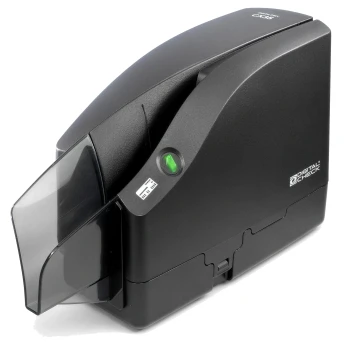

Digital Check CheXpress CX35 Check Scanner with Inkjet Endorser | 157000-02
Digital Check

Digital Check Inkjet Cartridge C6602A / MS0083 | CX35, CX30, TS250, TS240
Digital Check

Bill Check Receipt Presentation Folder
TerminalDepot
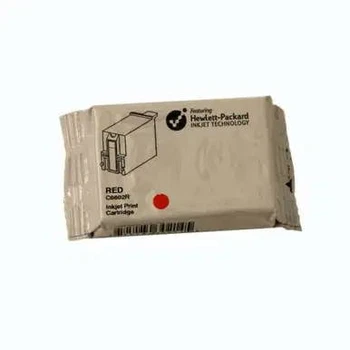
Ingenico EnCheck 2600 Inkjet Cartridge
Ingenico





