
Digital Check
Digital Check Inkjet Cartridge C6602A / MS0083 | CX35, CX30, TS250, TS240

- SKU:
- C6602A
- MPN:
- C6602A
- Condition:
- New

Description
Digital Check Scanner Inkjet Cartridge C6602A (MS0083)
The endorsement on the back of the check just went faint, and the bank bounces deposits without one. This is the single-line black inkjet cartridge that every current Digital Check endorsing scanner uses: the CheXpress CX35 and CX30, the TellerScan TS250 and TS240, and the older TS230, TS215, and TS4120. Part number C6602A, the same cartridge Digital Check sells under its own part number MS0083.
No guessing which cartridge your scanner takes. No paying extra for a Digital Check box around the same cartridge. Just snap it in and endorsements print dark again.
Key Features
- ✅ Fits every current Digital Check endorsing scanner, so one cartridge covers a mixed fleet of CX and TS models
- ✅ Same cartridge Digital Check packages as MS0083, so there is no compatibility question
- ✅ Snap-in replacement, no tools, no calibration; the scanner picks it up on the next check
- ✅ 18 ml black ink prints thousands of single-line endorsements before it fades
- ✅ Keeps deposits from bouncing for a missing or unreadable endorsement
Specifications
| Compatible Scanners: | Digital Check CheXpress CX35, CX30; TellerScan TS250, TS240, TS230, TS220, TS215, TS210, TS4120; BX7200; SmartSource Elite 55; Micro Elite-IJ; TellerScan TS500 (models 155000-82H and -82HV only) |
| Part Number: | C6602A |
| Digital Check Equivalent: | MS0083 |
| Type: | Single-line inkjet endorser cartridge |
| Color: | Black |
| Ink Volume: | 18 ml |
| Pack Size: | 1 cartridge |
| Condition: | New |
▶ How to Replace the Cartridge
• Power the scanner on and open the endorser cover (rear on CX and TS models)
• Lift the old cartridge straight out
• Peel the protective tape off the new cartridge nozzle
• Press the new cartridge in until it clicks and close the cover
• Run one test check and confirm the endorsement prints dark and complete
▶ C6602A vs MS0083: Are They the Same
Yes. MS0083 is Digital Check's part number for the C6602A single-line cartridge. The cartridge that ships installed in a new CX35 or TS250 is the same item. Buy whichever is cheaper; the scanner cannot tell the difference.
▶ Endorser Cartridge vs Franker Roller
Digital Check scanners can print on checks two ways, and they use different consumables.
• Inkjet endorser (rear): prints a programmable text line on the back of the check. Uses this C6602A / MS0083 cartridge
• Franker (front): stamps a red mark across the face of the check to void it. Uses a separate red ink roller, not this cartridge
If your scanner model number ends in -IJ it has the inkjet endorser. If you need the red front stamp, you need the franker roller for your model instead.
▶ When to Replace
• Endorsement text turns gray or streaky
• Characters drop out on one side of the line
• The application reports endorser errors
• Cartridge has been installed more than 6 months, even at low volume; ink dries in the nozzle
Keep one spare in the drawer. A bounced deposit costs more than the cartridge.
▶ Storage
Store unopened cartridges at room temperature in the sealed package. Do not remove the nozzle tape until you are ready to install. Once opened, the cartridge should be installed and used; ink in an exposed nozzle dries within days.
 Attention CA Residents: Prop 65 Warning
Related Products
Related Products
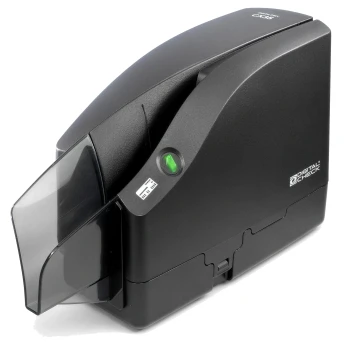

Digital Check CheXpress CX35 Check Scanner with Inkjet Endorser | 157000-02
Digital Check

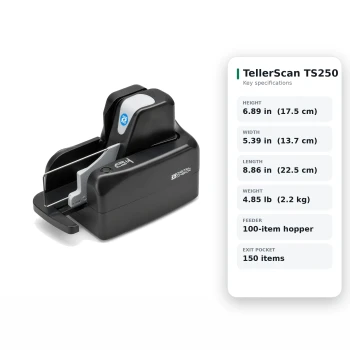
Digital Check TellerScan TS250-75 Check Scanner with Inkjet Endorser | 158000-52
Digital Check

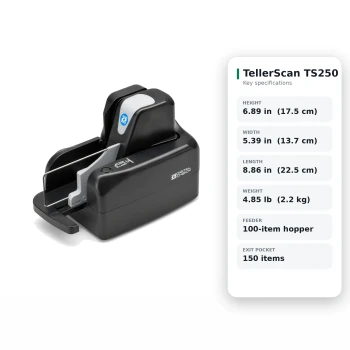
Digital Check TellerScan TS250-55 Check Scanner with Inkjet Endorser | 158000-72
Digital Check
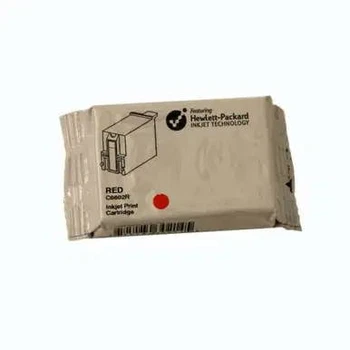
Ingenico EnCheck 2600 Inkjet Cartridge
Ingenico

Telecheck Eclipse / First Data FD200 / FD200TI Ink Cartridge
First Data





