
TerminalDepot
SNBC BTP-S80 Thermal Paper 3 1/8 x 230 ft | BPA-Free American Made

- SKU:
- PPRSNBCS80
- MPN:
- PPRSNBCS80
- Condition:
- New

Description
SNBC BTP-S80 Thermal Paper Rolls - American-Made BPA-Free 3 1/8" x 230'
American-made thermal paper rolls for the SNBC BTP-S80 receipt printer. Each 3 1/8" x 230' roll prints hundreds of receipts with no ink or ribbon needed. BPA-free thermal coating is safe for daily handling by staff and customers. Available in 6, 12, 18, 24, or 50 roll packs.
Key Features
- ✅ Exact fit for the SNBC BTP-S80 thermal receipt printer with a 1/2" core
- ✅ BPA-free thermal coating - no ink or ribbon required
- ✅ 230 feet per roll in a compact 2.75" diameter - fewer roll changes per shift
- ✅ Red end-of-roll warning stripe alerts you before the paper runs out
- ✅ Case quantities that keep the drawer stocked - order once, reorder in two clicks
- ✅ American-made consistency, roll to roll
Specifications
| Roll Size: | 3 1/8" x 230' (80mm wide) |
| Core Size: | 1/2" (12.7mm) |
| Roll Outer Diameter: | 2.75" (approx 70mm) |
| Paper Weight: | 48 gsm |
| Color: | White |
| BPA-Free: | Yes |
| End-of-Roll Indicator: | Yes - red warning stripe |
| Made In: | United States |
| Pack Sizes: | 6, 12, 18, 24, or 50 rolls |
| Compatible Printers: | SNBC BTP-S80 (all interface variants) |
▶ Why American-Made Paper Matters
Every roll is manufactured in the United States under consistent quality controls. Domestically sourced paper means verified BPA-free coating, uniform thickness, and clean edges roll after roll. You get the same print quality on roll fifty as on roll one.
▶ Compatible Printers
This 3 1/8" x 230' roll fits the SNBC BTP-S80 thermal receipt printer in all interface configurations (USB, Serial, Ethernet, Bluetooth, WiFi). The BTP-S80 accepts 80mm paper with a maximum roll diameter of 83mm. Our roll measures approximately 70mm in diameter and uses a 1/2" (12.7mm) core. If you have a different SNBC model, search our store for your specific printer page to confirm the correct paper size before ordering.
▶ How to Load Paper
Open the printer cover using the release lever. Remove the empty core. Place the new roll with the paper feeding from the bottom (thermal side facing up). Run your fingernail across the paper: the side that leaves a dark mark is the print side. Pull a short length of paper past the cutter, then close the cover until it clicks. Tear off the excess paper. The printer is ready.
▶ Storage and Handling
Store rolls in a cool, dry location away from direct sunlight, heat sources, and chemical solvents. Avoid contact with hand sanitizer, adhesive tape, and plasticizers (PVC binders, plastic sleeves). Thermal paper reacts to heat and chemicals, so proper storage preserves image quality for the life of the receipt. Shelf life under recommended conditions exceeds five years.
 Attention CA Residents: Prop 65 Warning
Related Products
Related Products

Star Micronics TSP100 / TSP100III / TSP143 Thermal Paper Rolls 3 1/8 x 230 ft | BPA-Free American Made
TerminalDepot
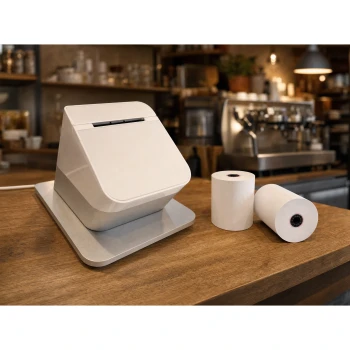
Clover Station P500/P550 Thermal Paper Rolls 3 1/8 x 230 ft | BPA-Free
TerminalDepot

Digital Check ReceiptNOW Elite Thermal Paper Rolls 3 1/8 x 230 ft | BPA-Free American Made
TerminalDepot

Epson TM-m30 / TM-m30II / TM-m30III Thermal Paper Rolls 3 1/8 x 230 ft | BPA-Free American Made
TerminalDepot